
In case your website doesn’t have a Data Protection Policy page, you definitely need to create one to comply with the GDPR regulation. Why do you need it if you are not located in Europe you say? Because it applies to any website / company / organisation dealing with European citizens, even one. So if one European citizen visits your website, you need to be ready!
Let’s dig into it…
First go to Pages > Add New
Give it a title (e.g. Data Protection Policy).
Copy/paste the following content in text mode (see below):

Now go back into visual mode and edit the parts that need editing (e.g. the name of “Serve the City Cityname legal status”, if you use a different payment processing method, or a different newsletter system, …).
Now that your page is published, let’s add it to the bottom navigation
To do this, go to Appearance > Menus.
If you don’t have one yet, create a new navigation for the footer by clicking “Create a new menu”.
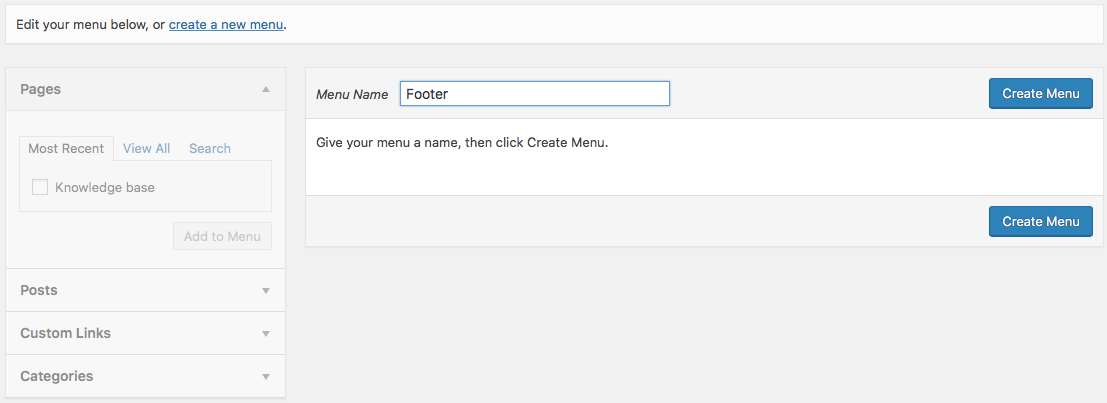
Enter the name (e.g. “Footer”) and click the button Create menu.
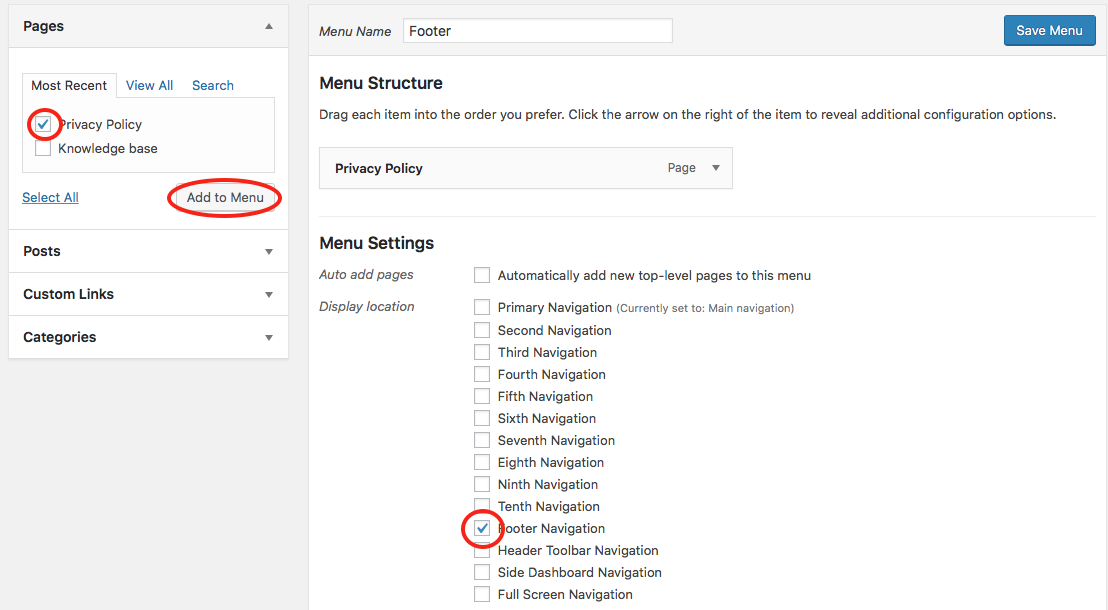
Now, select the newly published page, add it to the menu, indicate the menu is located in the footer, and save the menu.
You’re all set!