With GDPR, it is crucial that you get the consent of the people when they fill a form and send you data. If your forms do not have one already, it is important to add a consent checkbox to them.
First, go to Forms, and select the form to edit.
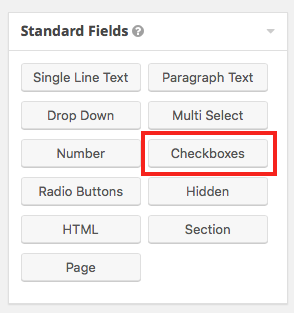
On the right side, in Standard Fields, select Checkbox.
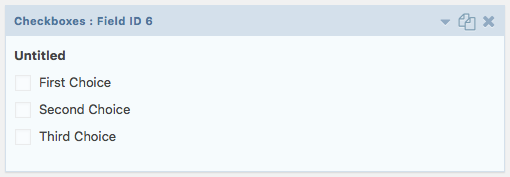
A new checkbox field appeared in your form like below.
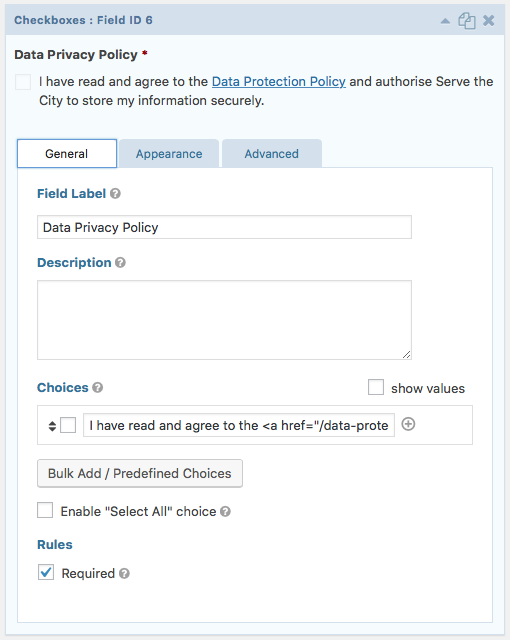
Click on the arrow, and modify the field label to “Data Privacy Policy” (or similar), remove choices 2 and 3, and in the first choice, insert the following (or similar):
I have read and agree to the <a href=”/data-protection-policy/” target=”_blank”>Data Protection Policy</a> and authorise Serve the City to store my information securely.
The “href” parameter should correspond to the address of your data privacy policy page. The “target” parameter indicates that we want this page to open in a new tab/window so that people can read the policy without loosing the form information.
Make sure the field is required.
It should now look like this: