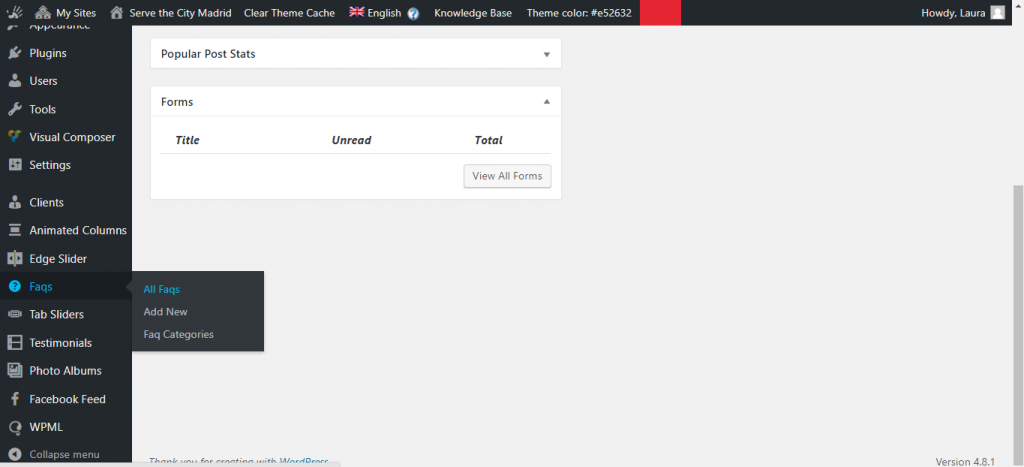
Go to the Dashboard and look for the Faqs manager, and click on Add new.
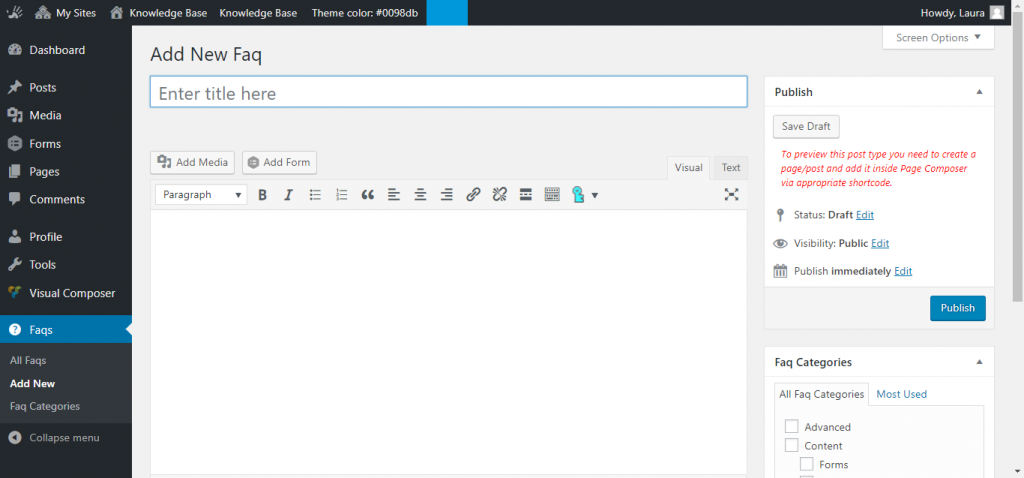
Add your question in the Title box and then the answer below in the bigger comment box. Once you’re done, click on Publish.
Once, you’re done adding all the questions you want, you can create a new Page for your FAQs.

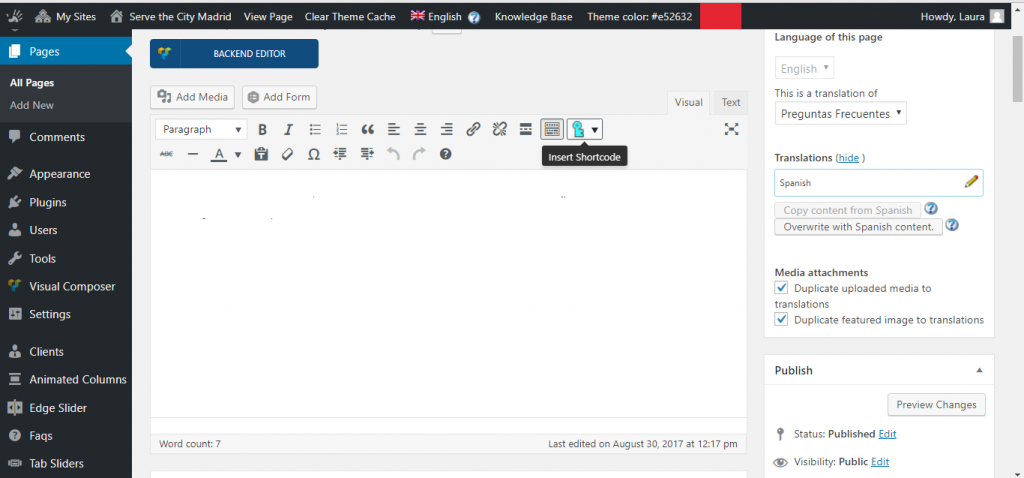
In the text area, click on the the Insert Shortcode button.
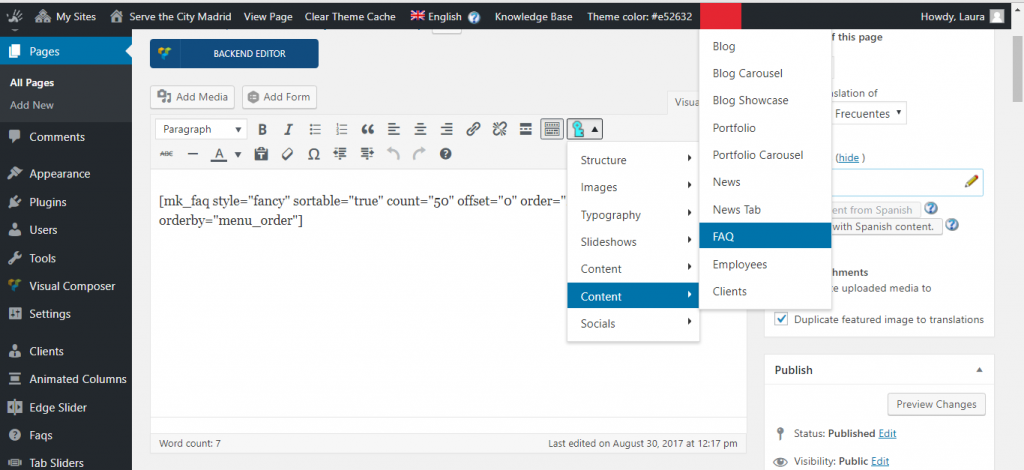
Choose Content > FAQ and the shortcode will appear in the text box. Click Publish and the FAQs you had previously added in the FAQ manager will appear on the page.